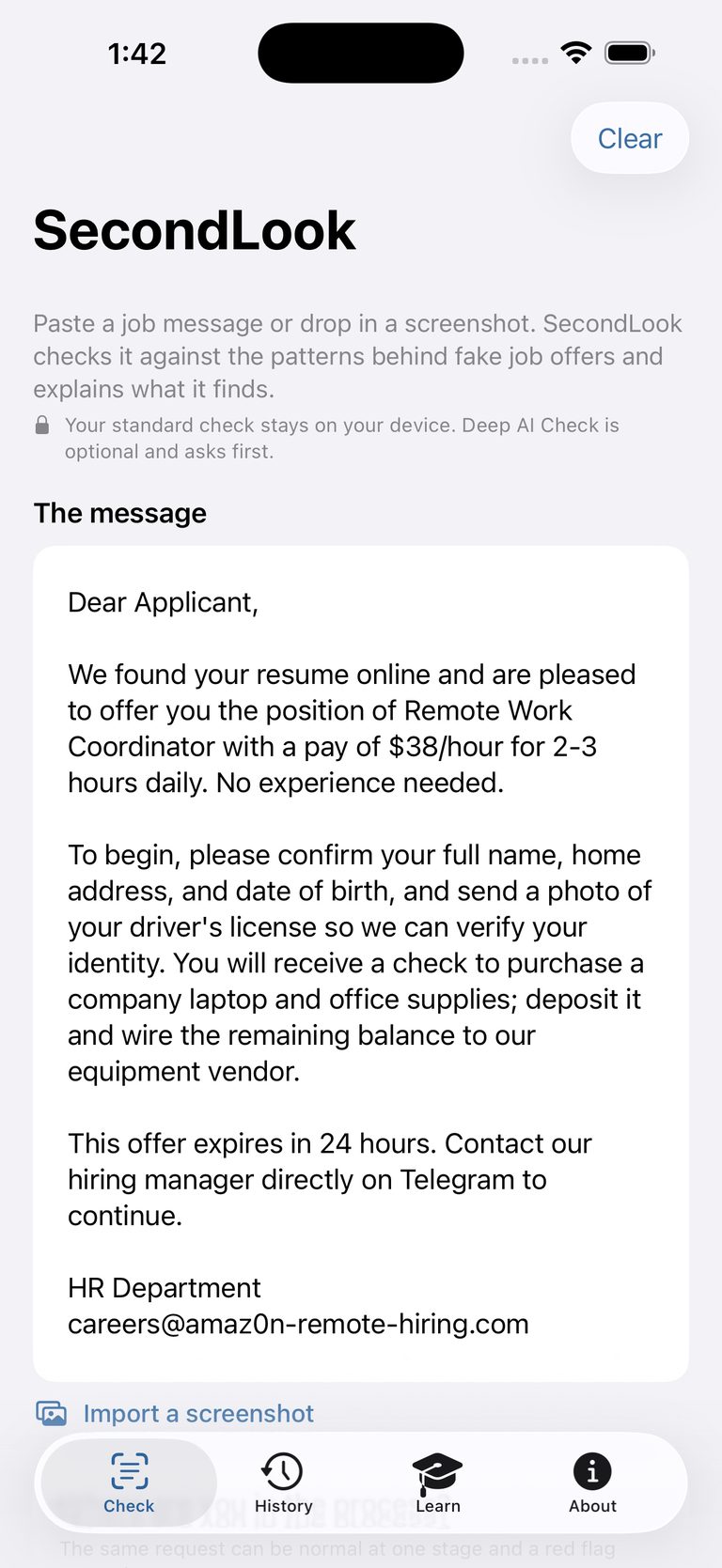
Fake job offers are one of the fraud types the FTC receives the most reports about, and the messages are getting harder to tell apart from the real thing. Most scam apps run your message on their servers and hand back a mystery number. SecondLook does the opposite.
🔒
Your standard check stays on your device
Text you paste and screenshots you import are read entirely on your iPhone with Apple's Vision framework. No account, no sign-in, no analytics SDK.
📋
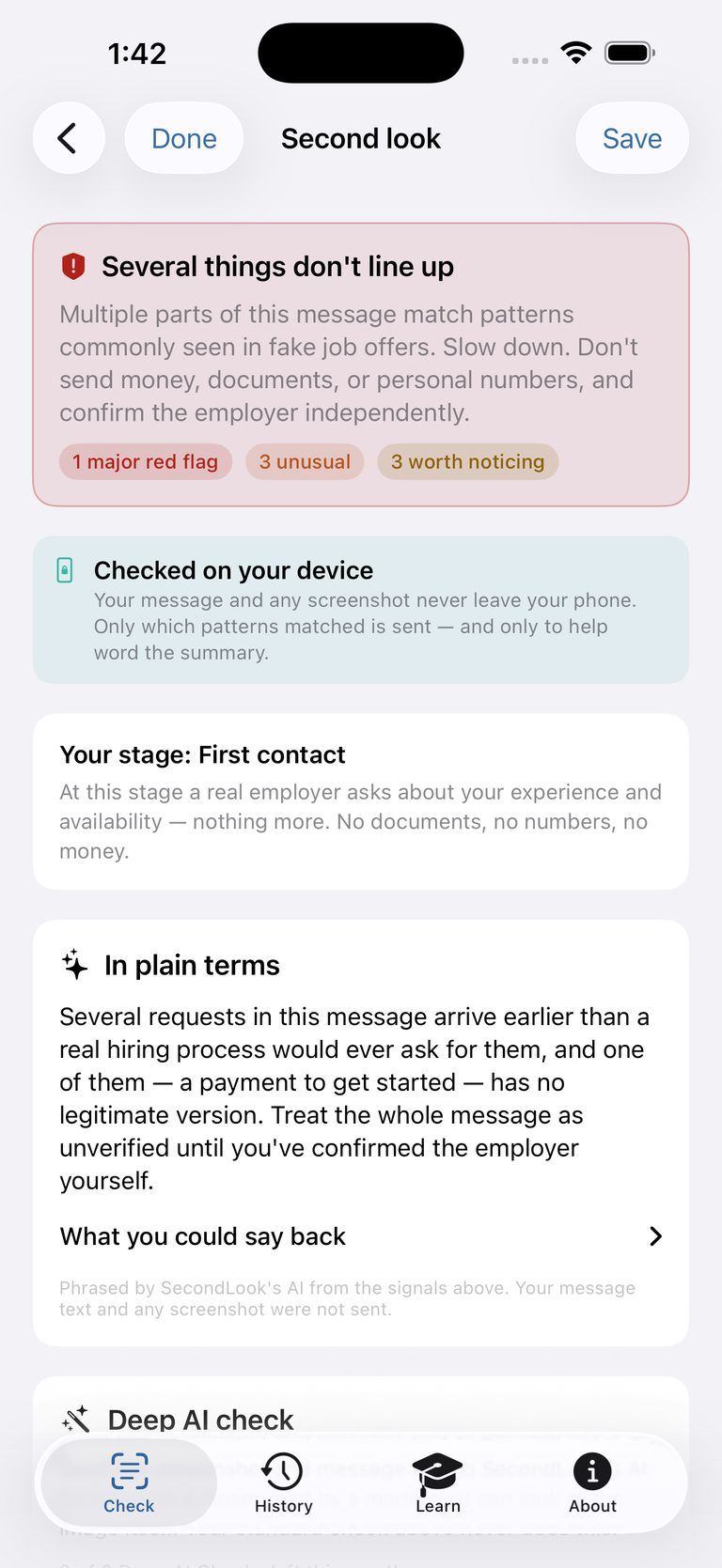
Explainable, not a score
Every flag says exactly what was found, why it's unusual, and what to do next. No black-box "scam score" to trust blindly.
📅
Weighed against your hiring stage
An SSN request is routine onboarding paperwork — but alarming at first contact. SecondLook scores the same ask differently depending on where you are.
🔗
Link check, offline
Domains in the message are compared on-device to a bundled list of real careers and applicant-tracking sites, and checked for lookalikes like amaz0n-hiring.com. SecondLook never opens the links.
🏢
Catches employer impersonation
When a message name-drops a well-known employer, SecondLook compares its links to that company's real careers site — from a bundled, offline list. If the message says one company but its links point somewhere unrelated, you'll see it, along with the address to type in yourself.
✎
Sensitive numbers are stripped
Before any snippet is shown back to you — or sent on the optional Deep AI Check — SecondLook removes SSNs, card and bank numbers, and dates of birth, on your device.
↗
Share it two ways
Forward the flags to a friend on a card that carries no message text — or send them a copy of the message itself with your personal numbers taken out first.
🎯
Practice, so you spot them yourself
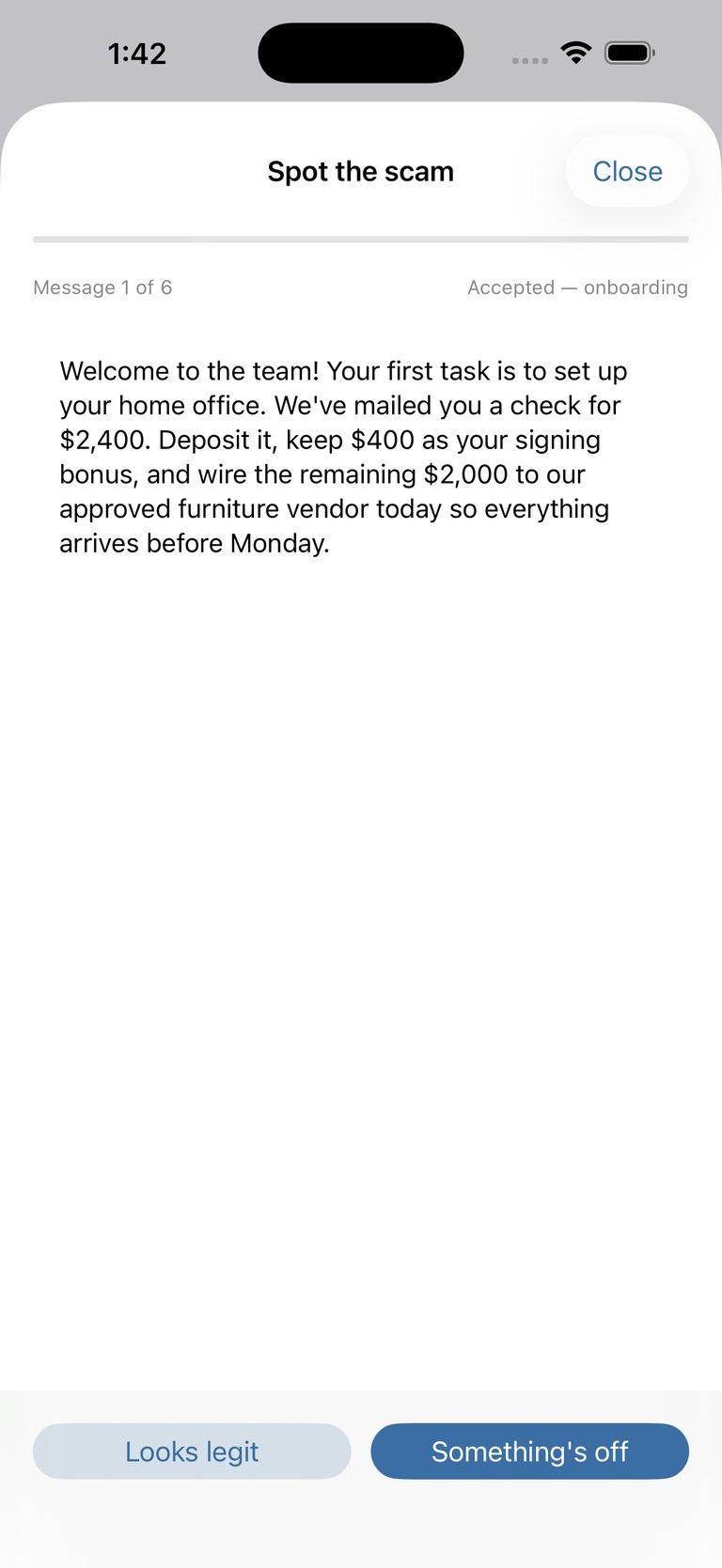
"Spot the scam" runs quick rounds of real-looking job messages — legit, or not? — and a browsable guide explains every pattern SecondLook checks for.
⚡️
Wherever the message lands
Check from the share sheet in Mail or Messages, from a Control Center button, from the Home Screen widget, or with the "Is this a scam?" Shortcut — the answer comes back without leaving the app you're in.